
Project 01 / Tech Solution Consultancy
CareFlow HIS
A hospital information-system training prototype with guided patient tasks and department workspaces.
Explore the screens- Discipline
- Business software
- Current stage
- Training prototype
- Technology
- C# · Blazor WebAssembly · ASP.NET Core
Project at a glance
The challenge
Hospital software spans many specialist areas, making task discovery and form clarity difficult for first-time users.
The work
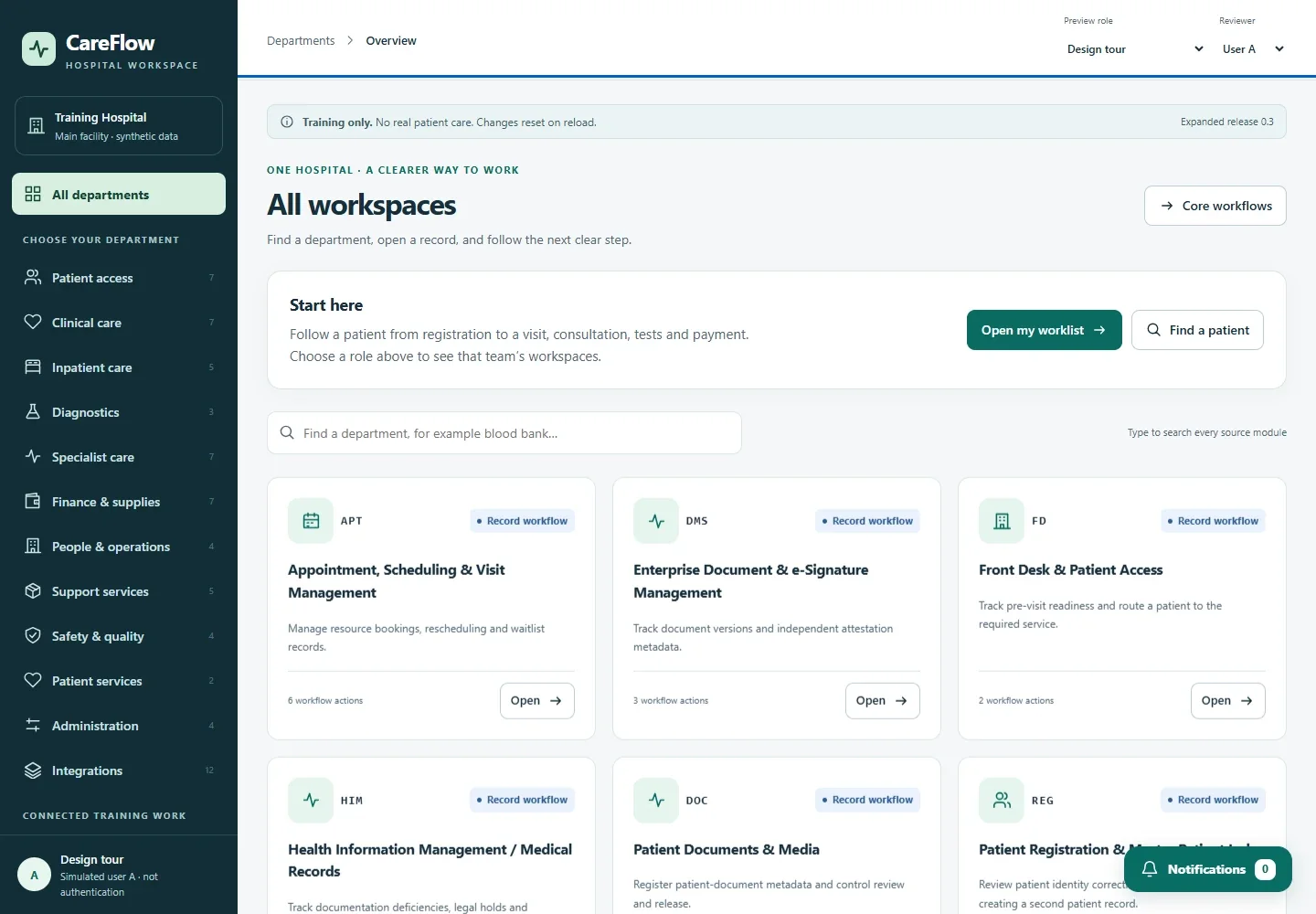
Refined the CareFlow interface with clear task entry points, department navigation, patient-search guidance and consistent accessible layouts.
Verified status
Navigation and selected patient workflows were tested.67 accessible departments do not establish 67 complete clinical workflows; clinical readiness and first-time user testing are not proven.
Inside the project
The work, on screen.
07 / Project imagesOpen an image for a closer look
The workflow
Finding the next task in a complex hospital workspace.
A training prototype that brings department navigation, patient search and clearer task entry points into one workspace.
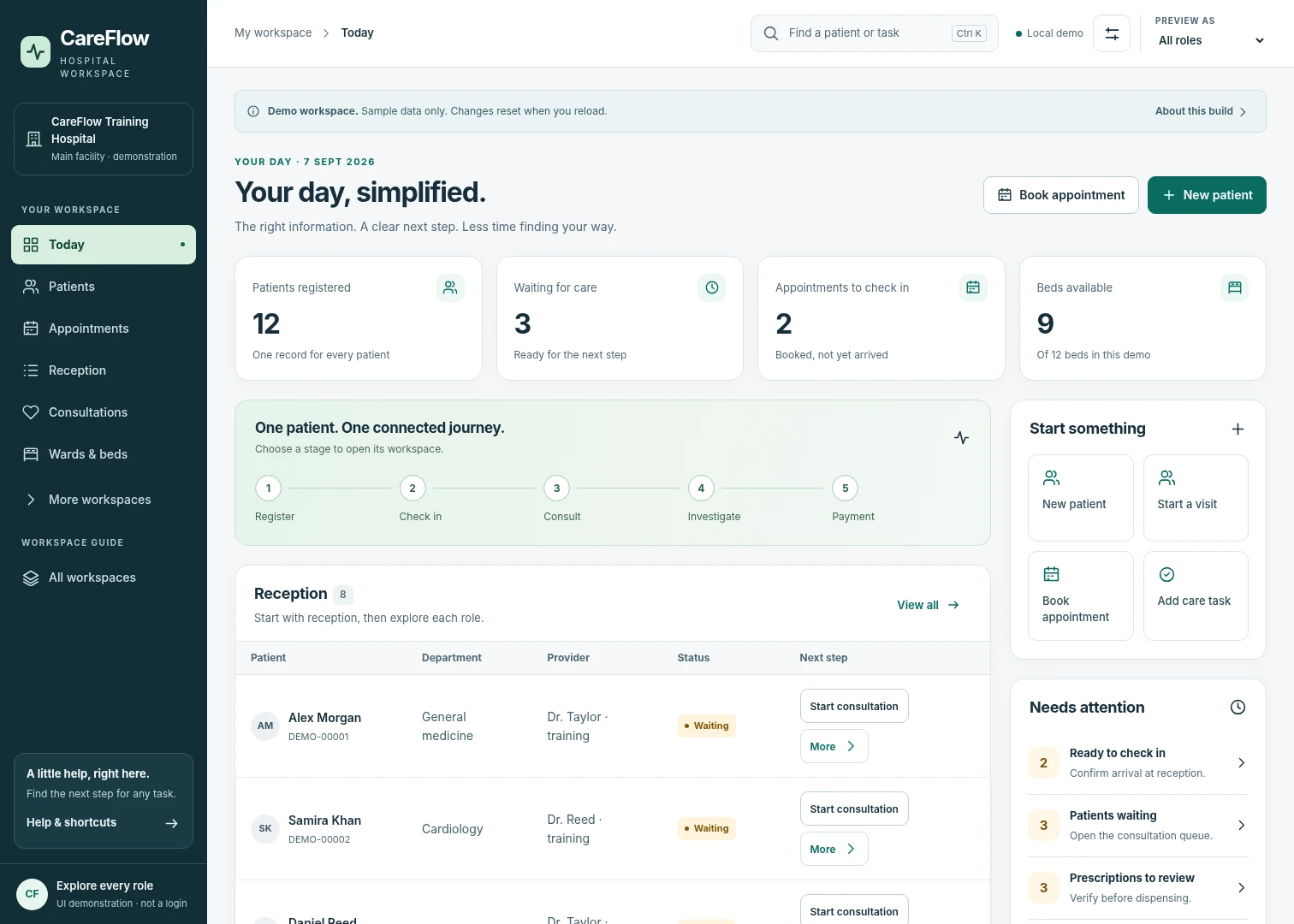
Start with the task
Guided entry points help a trainee choose where to begin, with navigation across 67 department areas.
Find the right record
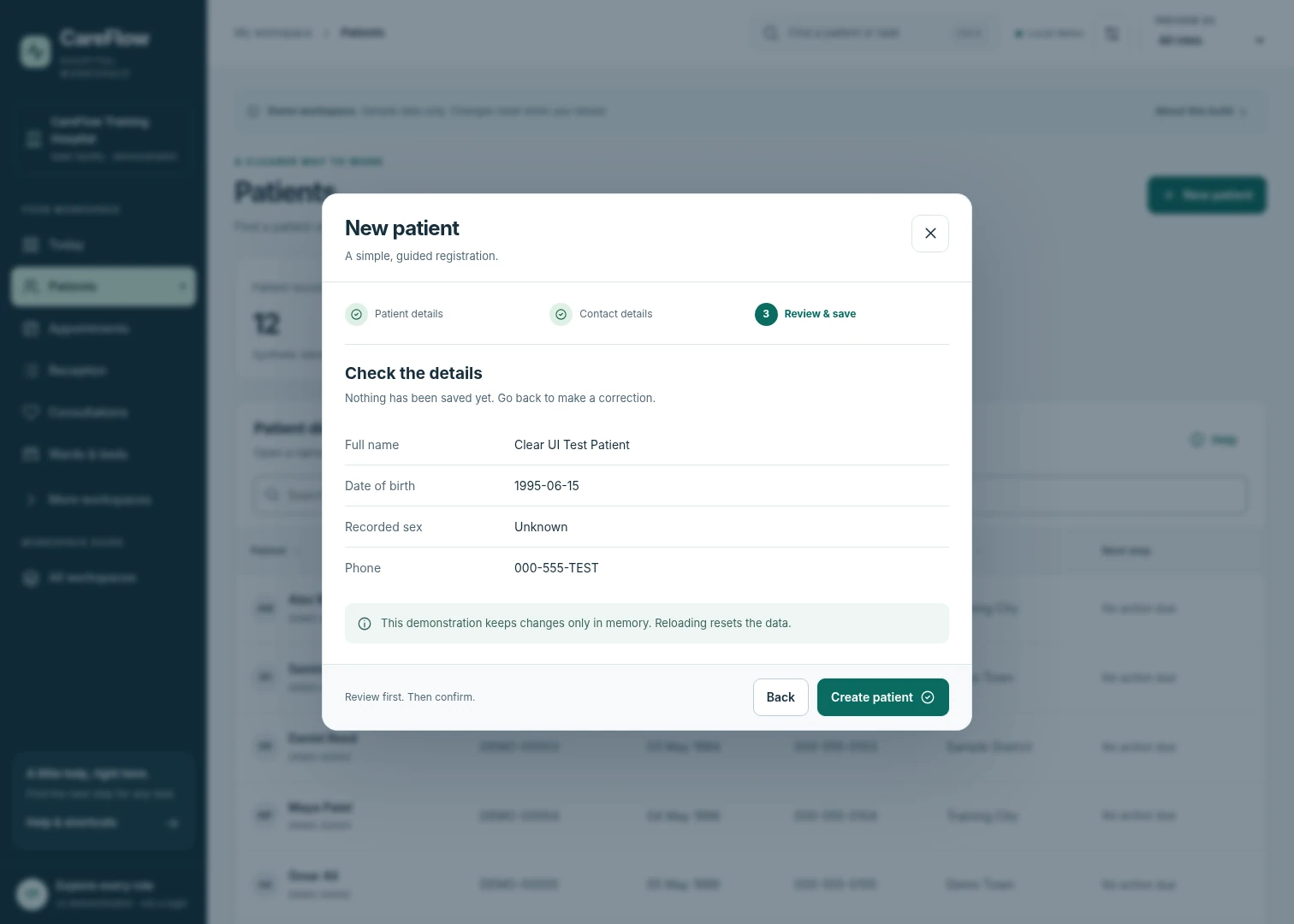
Patient search guidance and consistent layouts reduce the amount of interface a user has to interpret before continuing.
Keep the important details visible
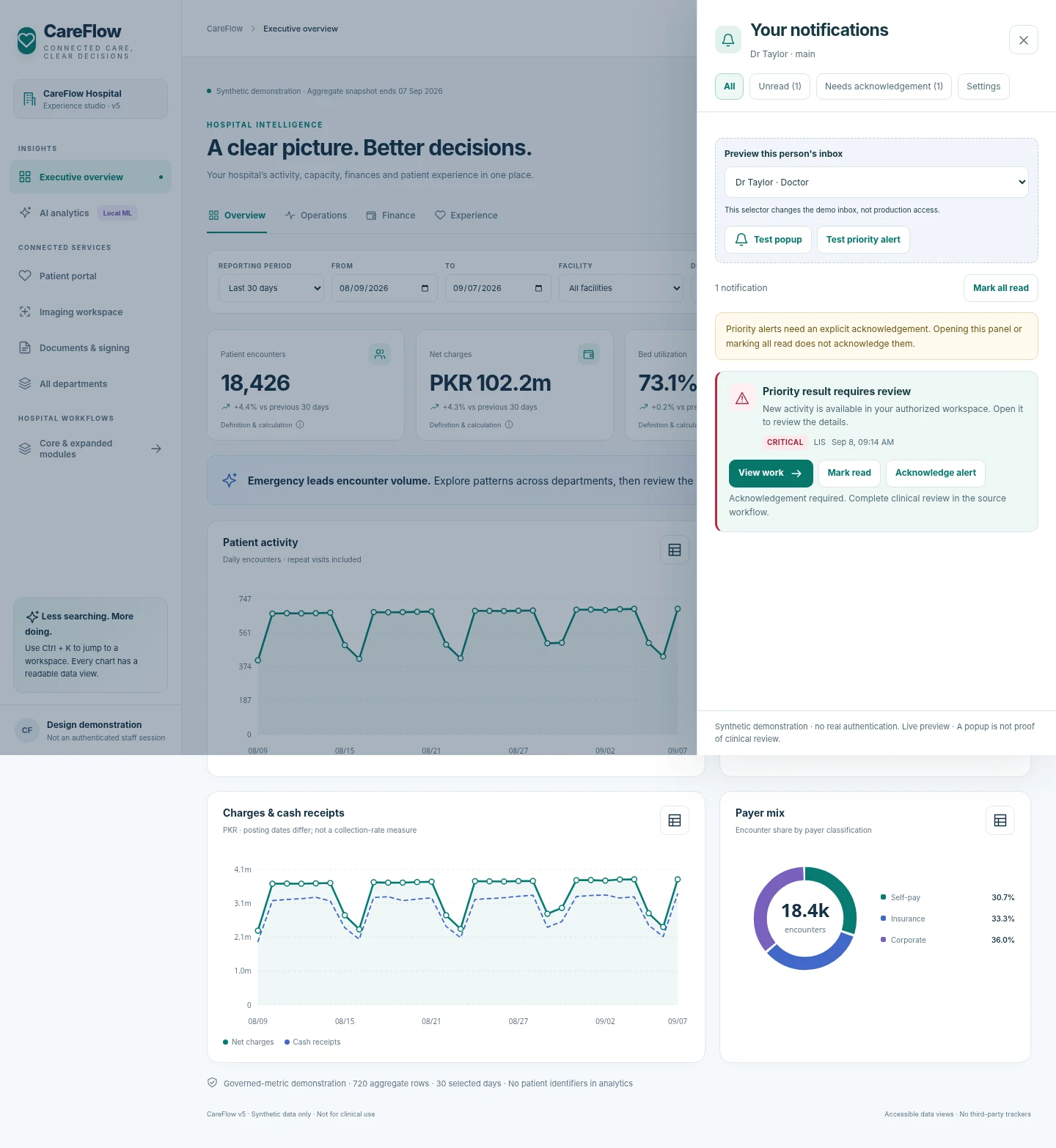
Secondary information can collapse away, while form guidance and notification controls support the selected workflows.
Recorded walkthrough
Inside the interface.
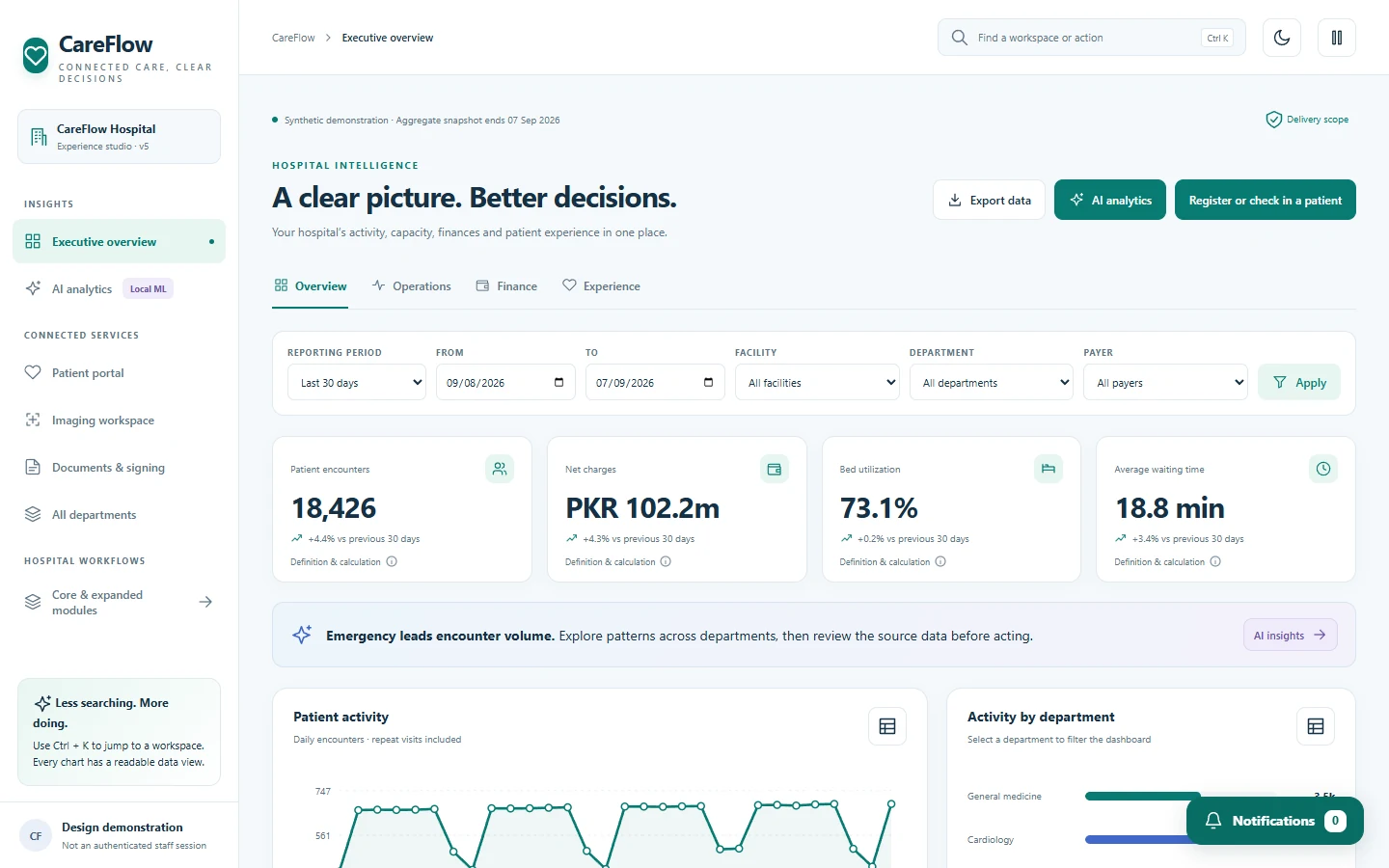
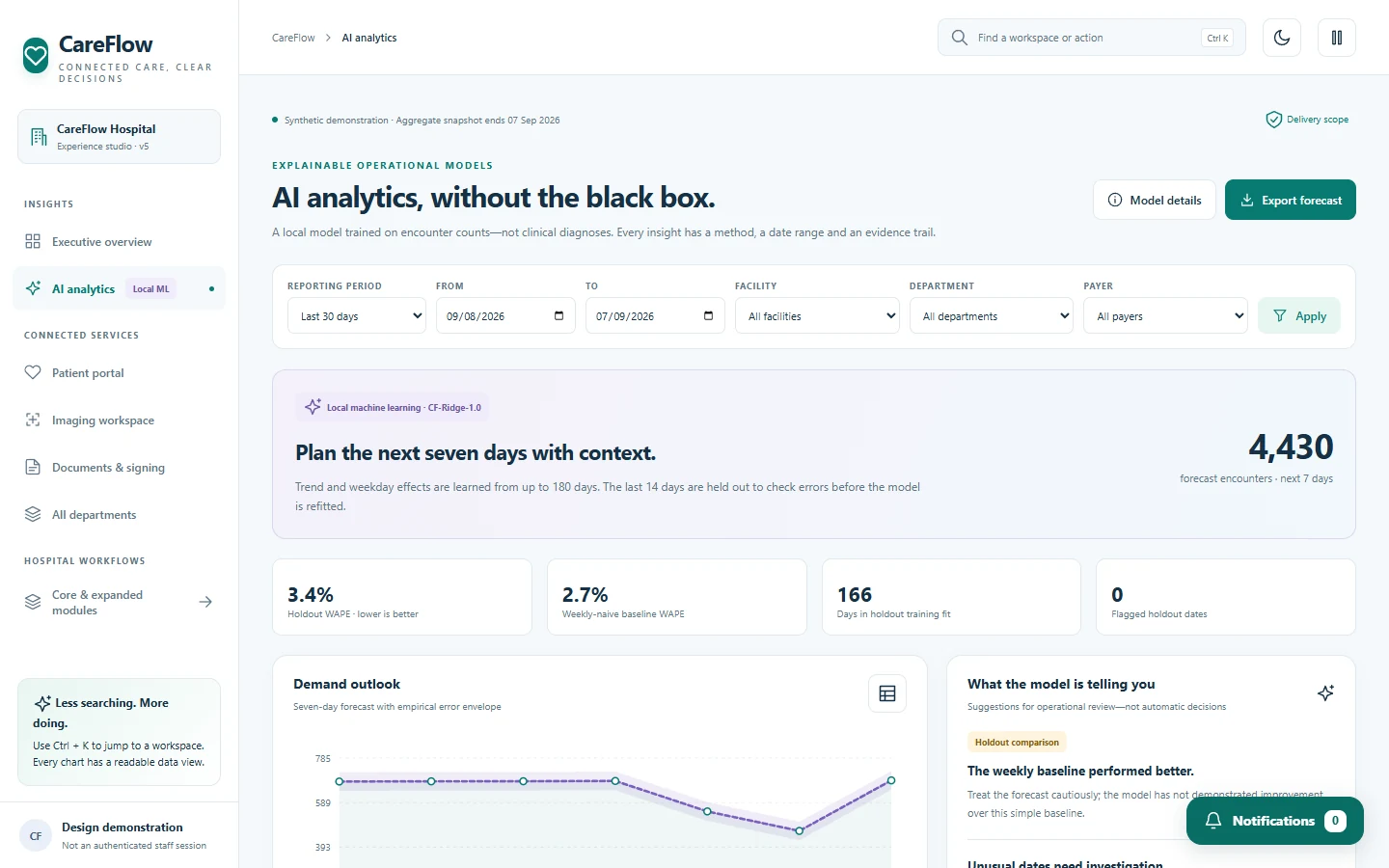
CareFlow training-preview tour: connected workspaces, aggregate charts and local analytics. Synthetic data only; not for clinical use.

CareFlow HIS
CareFlow training-preview tour: connected workspaces, aggregate charts and local analytics. Synthetic data only; not for clinical use.
Explore the case studyRead the walkthrough
- CareFlow browser preview. Synthetic training data only.
- Open the executive overview and its aggregate reporting filters.
- Review patient activity and department charts in the training dashboard.
- Open the local analytics workspace. Results are demonstration evidence.
- Return to connected workspaces. This preview is not for clinical use.
01 / The thinking
Making a large workspace easier to navigate.
The challenge.
Hospital software spans many specialist areas, making task discovery and form clarity difficult for first-time users.
The approach.
Refined the CareFlow interface with clear task entry points, department navigation, patient-search guidance and consistent accessible layouts.
02 / Capabilities
Built around the work.
Guided start
Large, labeled tasks and a less cluttered home screen provide a clearer starting point.
Department workspaces
Navigation gives access to 67 department areas while keeping specialist workflows in their own context.
Patient search
Plain-language instructions and improved search recovery support finding the right patient record.
Form clarity
Larger controls, readable labels, collapsible secondary detail and error guidance improve daily interaction.
Notification controls
Connected notification/workspace interfaces share the same visual language and distinct warning/urgent colors.
Responsive experience
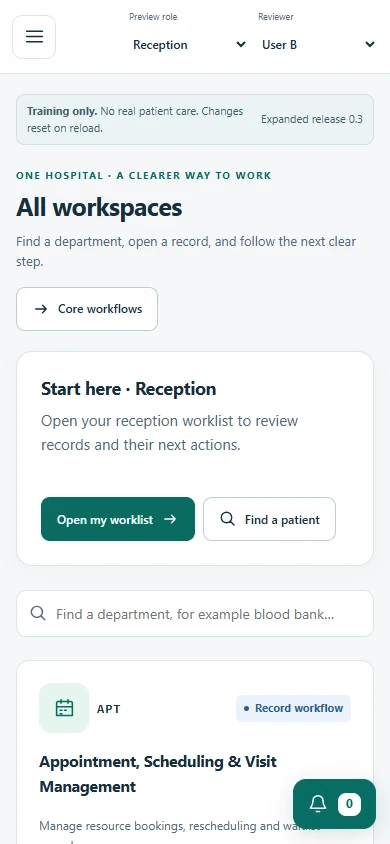
Mobile navigation, keyboard search and light/dark contrast refinements support different devices.
03 / Technology
The tools behind it.
- C#
- Blazor WebAssembly
- ASP.NET Core
- Entity Framework Core
- SQL Server
- SignalR
04 / Delivery
Where the project stands.
Training prototype
Selected patient workflows and navigation were tested. The screenshots use synthetic training data; clinical readiness and first-time-user testing are not established.
Your next challenge